Step 2 of 26
Orient & choose your campaign
Now that you're signed in and have your asset pack, get your bearings in Content Hub and decide what campaign you'll build.
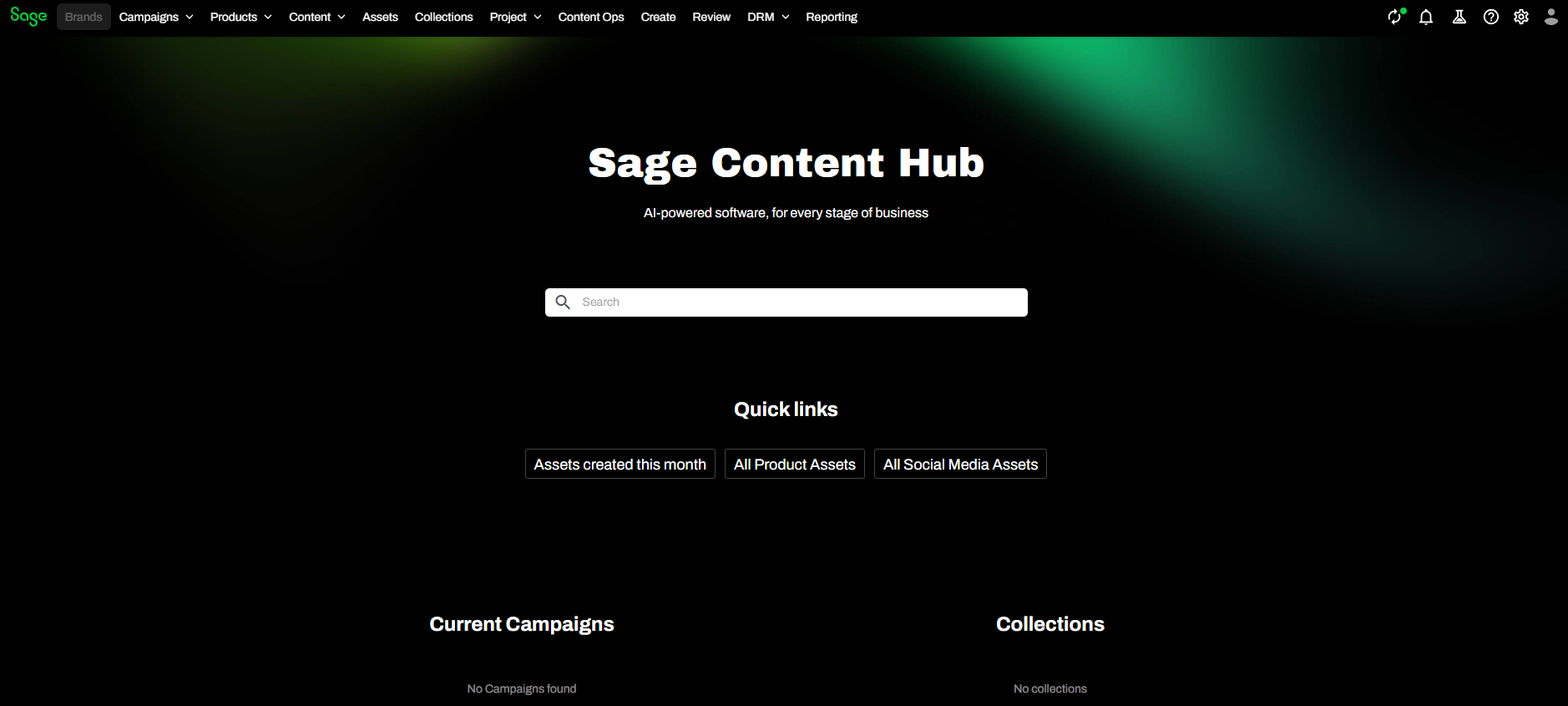
Get your bearings
Take a moment to find these on the menu bar — you'll use them throughout:
- Assets — the digital asset repository (your images, video, PDFs).
- Create — where you upload new assets.
- Collections — groups of assets you can share (Campaign, Product, Event).
- Campaigns — campaign planning and deliverables.
- Manage — admin, including AI features.
Your campaign
Everyone builds a landing page for the same product — Sage Intacct — but for a different industry segment. Your segment was assigned to you: find your name on the previous step to see it (e.g. Healthcare, SaaS, Construction).
Note
Your segment is the thread through every module — the assets you gather now, the page you build next, and the personalization later all target it. If you didn't see a segment by your name, ask your facilitator.
Tip
Working without an assignment? Use Healthcare as your example segment so you can follow along.
New to the asset workflow? Skim the official overview: Get started with assets.